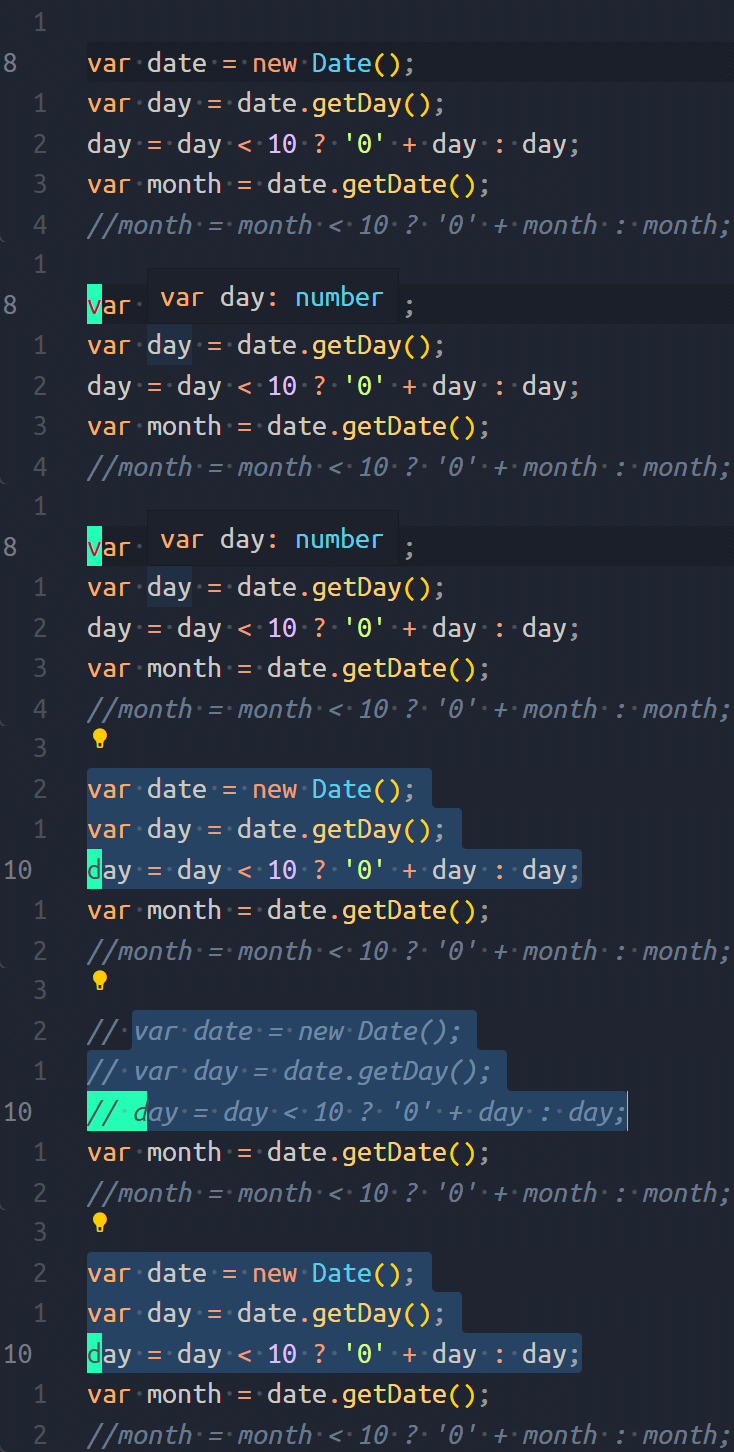
Appearance
[!question] 问题
今天老师教了使用
,cu/,cc注释代码,但貌似我的 vim 没有对应的配置没法使用,所以在 stackoverflow 这了这个问题 What's a quick way to comment/uncomment lines in Vim? - Stack Overflow
To comment out blocks in vim:
- press Esc (to leave editing or other mode)
- hit ctrl+v (visual block mode)
- use the ↑/↓ arrow keys to select lines you want (it won't highlight everything - it's OK!)
- Shift+i (capital I)
- insert the text you want, e.g.
% - press EscEsc
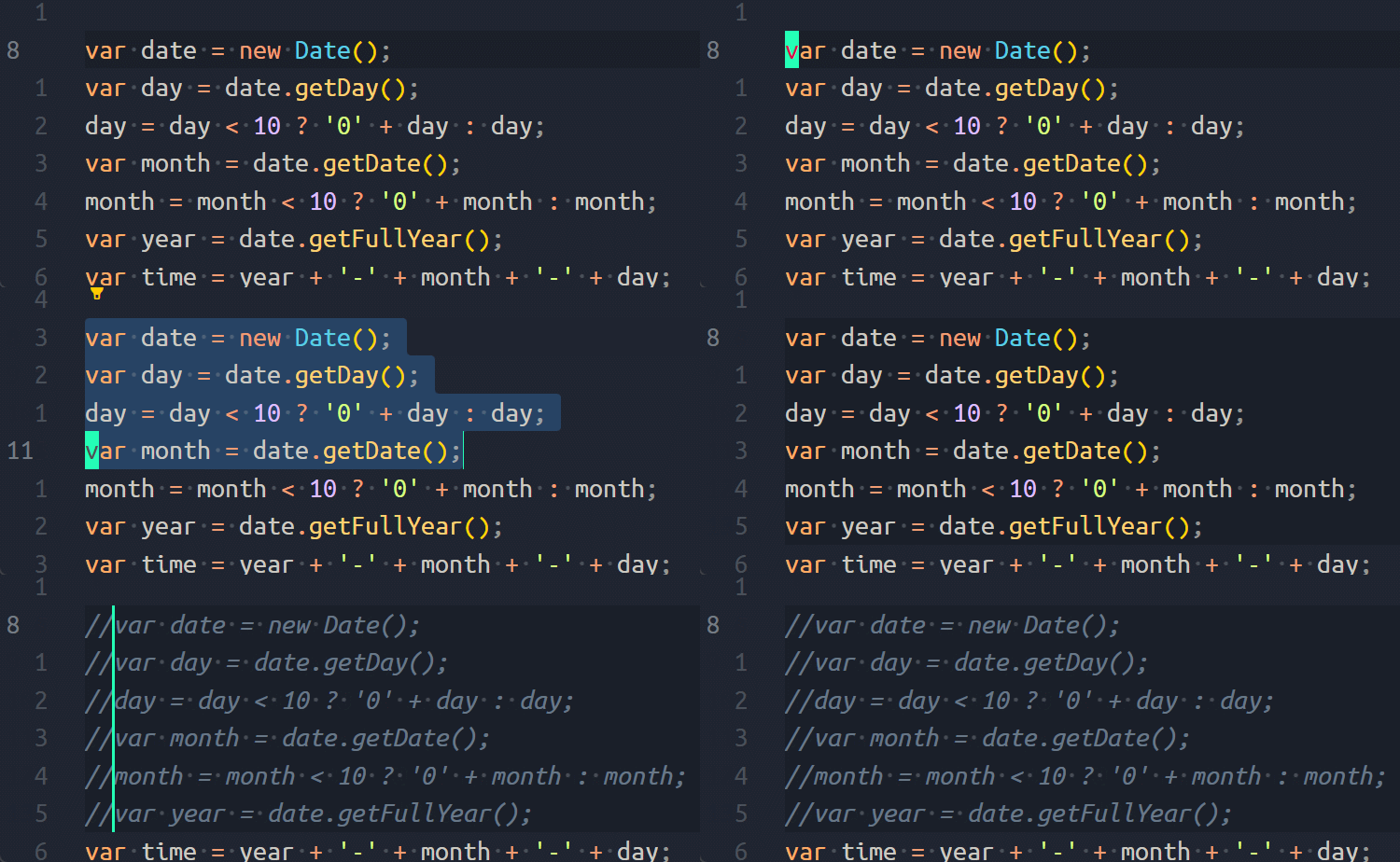
To uncomment blocks in vim:
press Esc (to leave editing or other mode)
hit ctrl+v (visual block mode)
use the ↑/↓ arrow keys to select the lines to uncomment.
If you want to select multiple characters, use one or combine these methods:
- use the left/right arrow keys to select more text
- to select chunks of text use shift + ←/→ arrow key
- you can repeatedly push the delete keys below, like a regular delete button
press d or x to delete characters, repeatedly if necessary
StackOverflow 上也有 ,cc/,cu 的配置文件:
yaml
" Commenting blocks of code.
augroup commenting_blocks_of_code
  autocmd!
  autocmd FileType c,cpp,java,scala let b:comment_leader = '// '
  autocmd FileType sh,ruby,python   let b:comment_leader = '# '
  autocmd FileType conf,fstab       let b:comment_leader = '# '
  autocmd FileType tex              let b:comment_leader = '% '
  autocmd FileType mail             let b:comment_leader = '> '
  autocmd FileType vim              let b:comment_leader = '" '
augroup END
noremap <silent> ,cc :<C-B>silent <C-E>s/^/<C-R>=escape(b:comment_leader,'\/')<CR>/<CR>:nohlsearch<CR>
noremap <silent> ,cu :<C-B>silent <C-E>s/^\V<C-R>=escape(b:comment_leader,'\/')<CR>//e<CR>:nohlsearch<CR>
我没有试验过。
我是 VSCode + Vim,还瞎折腾什么😂。直接 Ctrl - / 在 Vim 模式下是可以用的,另外我把 Ctrl绑定到了 Win 按键(用Sharpkeys)。